Find children
Search, status, class, group, room and today's pick-up time.
The moto Staff app shows your team which children are here, where they are right now and what matters today. Site managers organise the same routines from a view built for them.
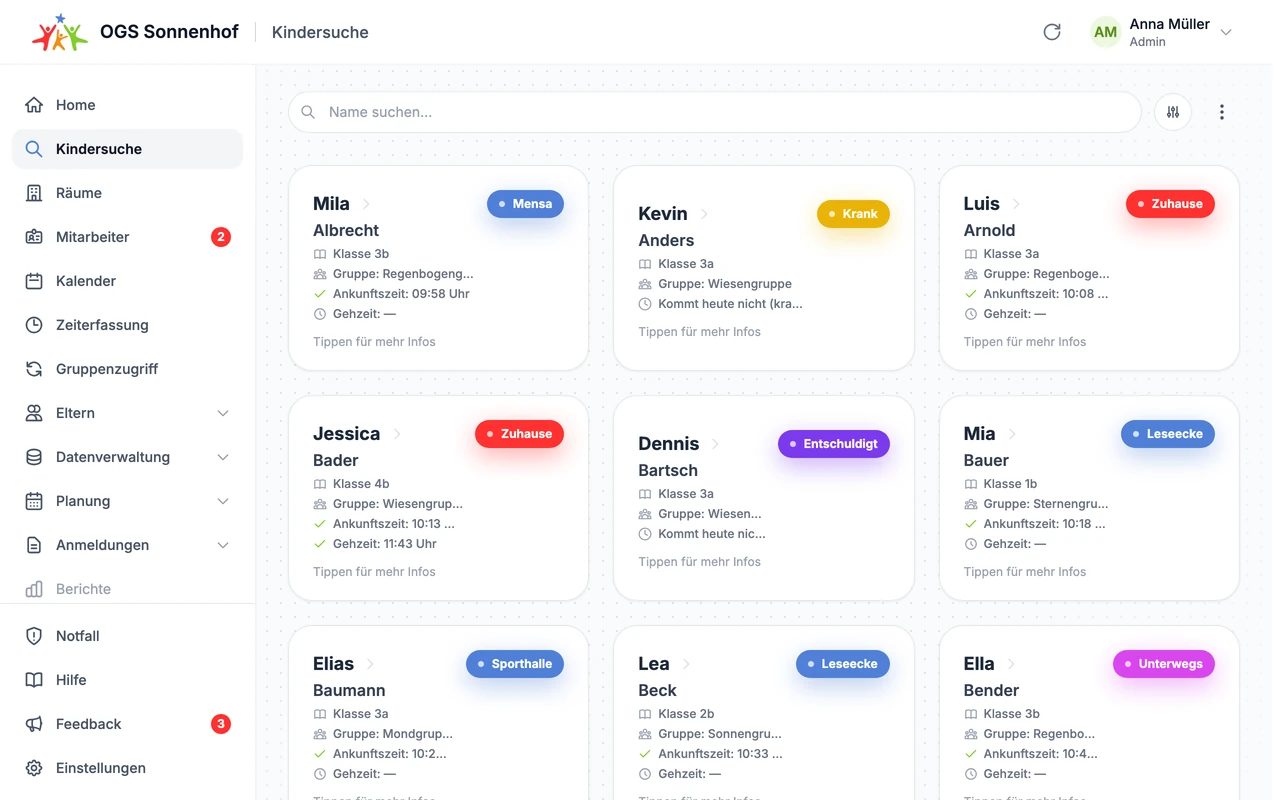
The care day
Find any child, with status, room, pick-up time and activity indicators.
During the day
The key areas are designed for quick access in a busy care day. Managers and staff see exactly the information that belongs to their role.
Search, status, class, group, room and today's pick-up time.
Expected and checked-in children, room changes and notes.
Attendance, absences, how children get home and open questions.
Rooms, groups, activities, roles, devices and settings.
Child search
Type a name, find the child, see their status. Class, group, room, pick-up time, how they get home and important notes are right there.
The care day
Find any child, with status, room, pick-up time and activity indicators.
Supervision and activities
Staff see which children are expected and present for their supervision or activity, and can handle changes on the spot.
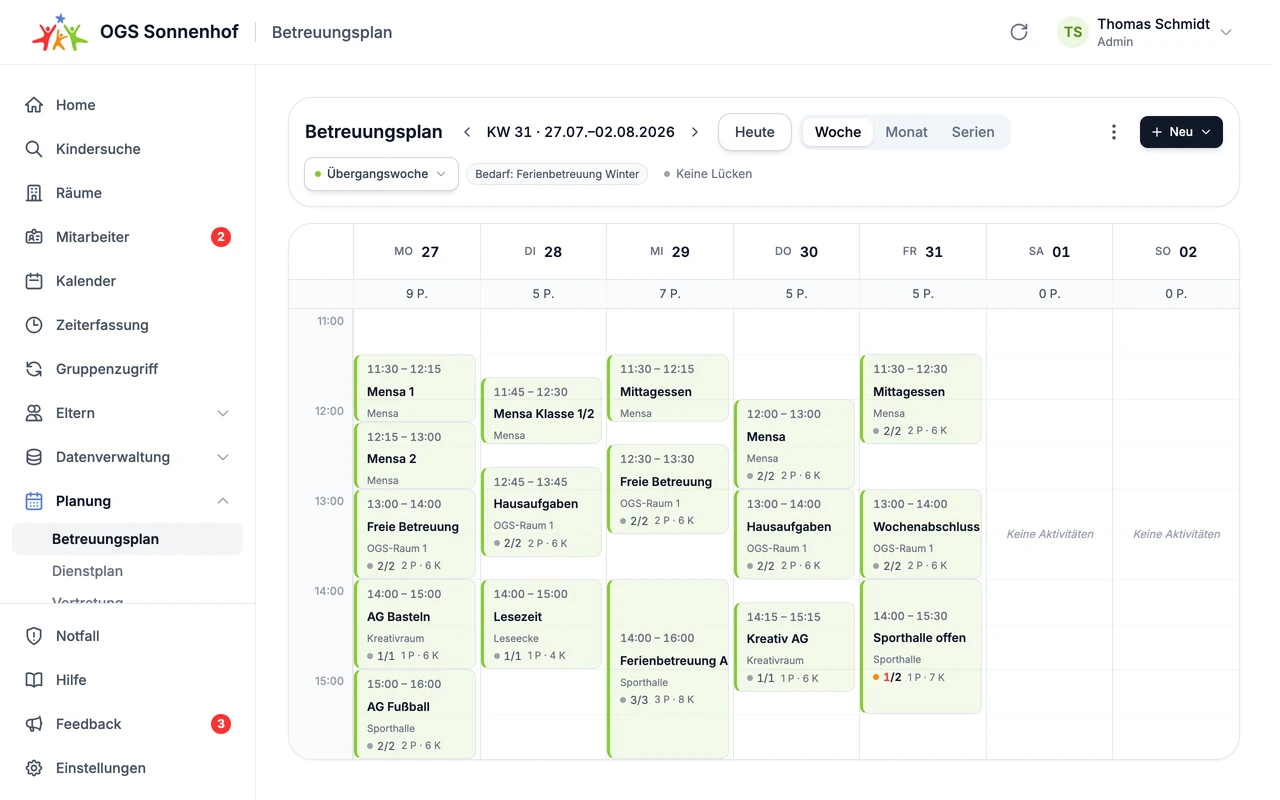
Care plan
Plan the week with rooms, activities and clubs, staffing needs and child numbers.
Attendance options
Some sites only need a daily status. Others work with rooms, activities or open play, where children move freely between rooms during the afternoon. You decide how detailed it gets and whether NFC is part of it.
Here, absent or picked up. Plus pick-up time and how the child gets home.
Room, playground, activity or supervision as the current location.
Staff update the status directly in their app.
Children tap their NFC wristband on the NFC terminal to check in, check out or change area on their own.
NFC terminal
Children tap their NFC wristband here to check in, check out or change area.
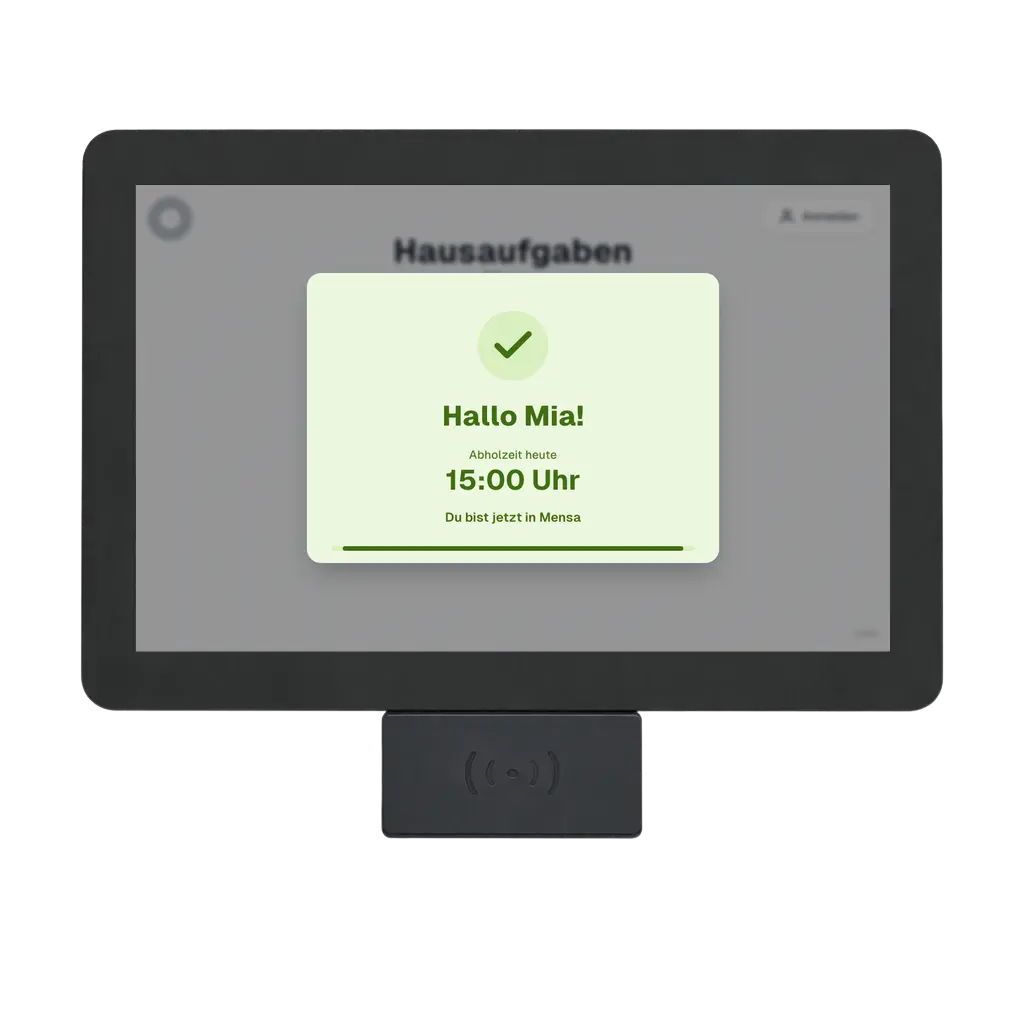
NFC terminal
Terminal screen for checking in, checking out and moving between rooms.
What the Staff app covers
The app connects the quick tasks of the afternoon with the data, settings and planning managers work with.
Child search and child profiles
Open status, class, group, room, leaving time, how the child gets home, contacts, authorised pick-up contacts and notes.
Groups and current supervision
Keep track of your groups, expected children, attendance and current supervision at a glance.
Rooms and activities
Set up rooms, open play, fixed activities and clubs, room changes and maximum numbers to match your day.
Reminders and daily notes
See important tasks, changed pick-up times and notes right where your team needs them.
Team and cover
Organise staff, roles, profiles, absences and cover for your site.
Calendar and care plan
Prepare time periods, personal calendars, regular care and planned activities.
Staff scheduling and working hours
Bring staff scheduling, time tracking, annual leave, history and any corrections together.
Data and permissions
Manage children, staff, rooms, groups, roles and devices, plus imports, lists and exports.
Parent app and communication
Messages, appointment requests, key details, contacts, documents and replies, all in one place.
Online enrolment by school year or half-year
Parents complete the enrolment form online. Details for new first-year pupils, place allocation and the waiting list go straight into the system.
Holiday care across sites
Plan and manage holiday clubs, dates, capacity and bookings across all your sites.
Multi-site overview
See and analyse sites, child numbers, staff, absences and enrolments in one view.
Onboarding and service
Rooms, groups, roles, activities, attendance and devices are set up to fit the way you work.
Want a first look?
In our free webinar, we show you the platform and answer your questions.
Your first three months are free. Setup is included and the trial ends automatically.
Understand
We look at how your care is organised today, from arrival to pick-up, and adapt moto to it.
Set up
We prepare roles, logins, attendance, parent communication, devices and data so that moto fits the way you work.
Launch
We support the launch, provide materials and answer questions so your team and parents get comfortable quickly.
Adapt
moto is modular and flexible. If you have specific requests or new ideas, we look at them together and build solutions that fit your site.