Step 1
Assign NFC wristbands
Each NFC wristband is linked to one child, once.
With moto NFC, children check in, check out and change rooms themselves by tapping their NFC wristband. It is quick and easy for them. Your team sees the room each child last tapped into, right in the Staff app.
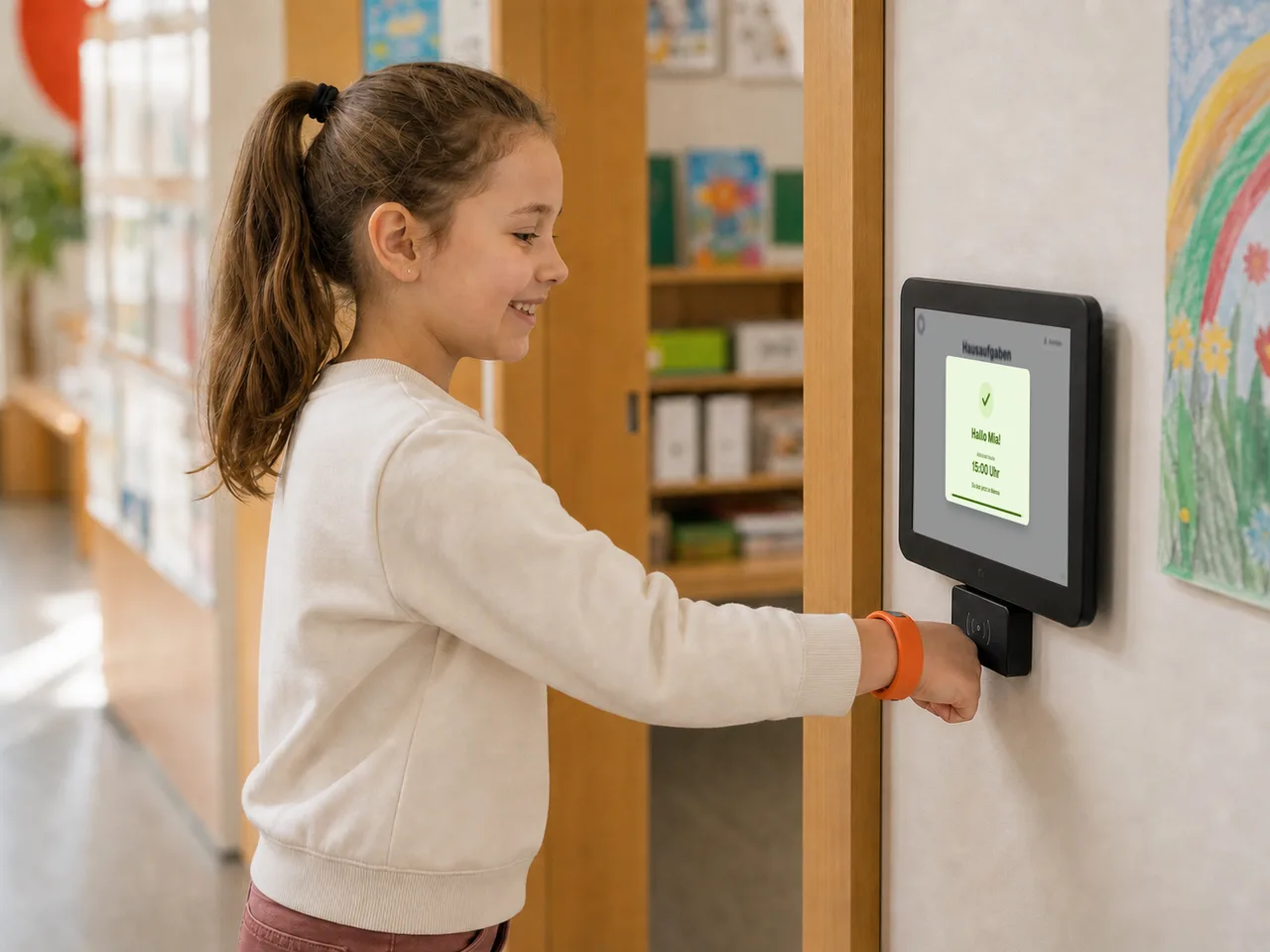
How NFC works
NFC works alongside the app wherever children often check in, check out or move between rooms.
Step 1
Each NFC wristband is linked to one child, once.
Step 2
Mount them at a central check-in point or in individual rooms, then switch them on.
Step 3
Children hold their NFC wristband to the terminal to check in, check out or change rooms.
Step 4
Staff see each child's last reported room in the Staff app and can change it at any time.
For small and large schools
NFC adapts to the way you track attendance. You decide which moves children confirm themselves and how precisely your team sees each child's current room.
Central
One NFC terminal at a central check-in point records children checking in and out. This suits smaller sites and schools that run their day from one place.
Room by room
NFC terminals go where children move between spaces: in group rooms, in the playground, at activities and clubs or in other buildings. Your team sees each child's last reported room.
Combined
You can combine central check-in and check-out with room changes. That way you can start NFC at a small school and add rooms as you grow.
Made for children
Children do not need to find their name or type anything. They hold their NFC wristband to the terminal for a moment and see straight away whether their check-in, check-out or room change worked.
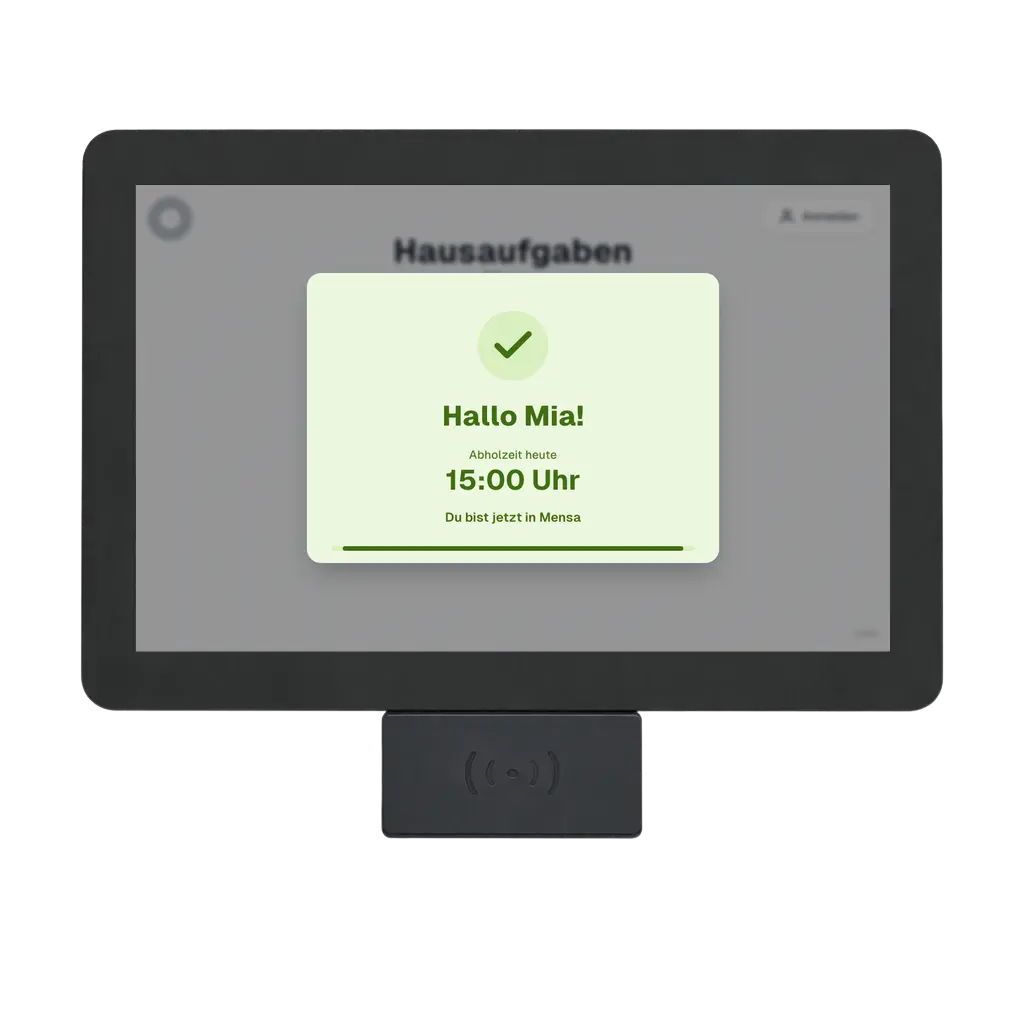
NFC terminal
Terminal screen for checking in, checking out and moving between rooms.
In the Staff app
NFC does not replace supervision. The app shows each child's last reported room, highlights important notes and lets staff make changes when the day goes differently.
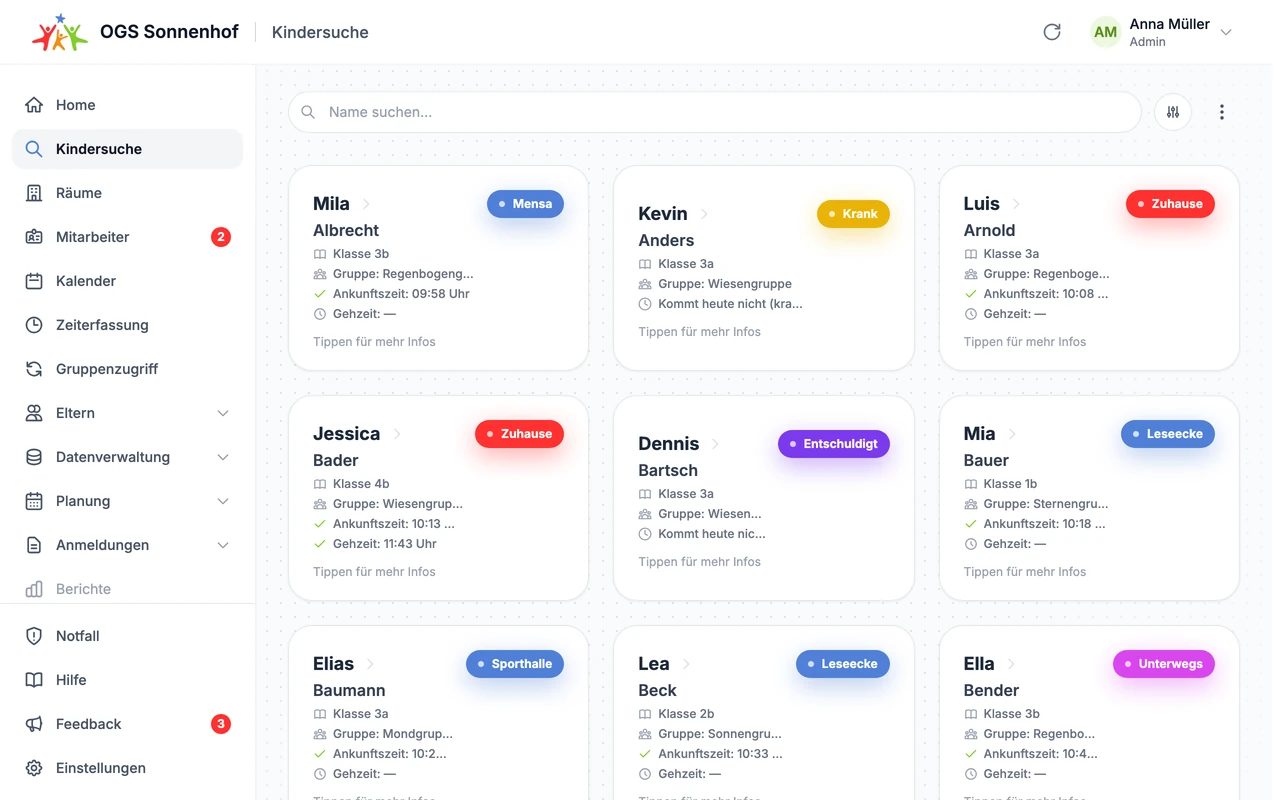
The care day
Find any child, with status, room, pick-up time and activity indicators.
Self-service for children
Tapping the clock shows their own pick-up time. The room view shows which rooms and activities are open right now. Children find the answers themselves, without having to ask a member of staff.
Their own pick-up time, shown straight away.
All open rooms and activities at a glance.
Hi Mila
Your afternoon
Pick-up
Today at 3:30 pm
Art room
Open now
Playground
Open now
Fewer questions, less crowding and a clearer afternoon for every child.
NFC terminals and requirements
Each NFC terminal needs a suitable spot, power and an internet connection. We prepare the NFC terminals for your site and fit them into your school day.
On the wall, on a floor stand or in a desk holder.
Each location needs power and a stable Wi-Fi connection with internet access.
Industrial-grade NFC terminals are made for continuous use and protected against tampering.
Once started, the tablets inside the NFC terminals connect to your configured network and can be maintained remotely by our specialist technology partner.
Before you start, we agree with you on the number of terminals, where they go and how they are mounted. We set up the hardware around the way children move through your school.
A calmer after-school day
Up-to-date room changes give everyone a clear picture without getting in the way of open activities. This takes pressure off staff and helps spread children more evenly across rooms and activities.
Onboarding and service
Small site, large campus or several buildings: we look at how children move around, how you track attendance and where the NFC terminals should go.
Want a first look?
In our free webinar, we show you the platform and answer your questions.
Understand
We look at how your care is organised today, from arrival to pick-up, and adapt moto to it.
Set up
We prepare roles, logins, attendance, parent communication, devices and data so that moto fits the way you work.
Launch
We support the launch, provide materials and answer questions so your team and parents get comfortable quickly.
Adapt
moto is modular and flexible. If you have specific requests or new ideas, we look at them together and build solutions that fit your site.